In this guide5 questions answered
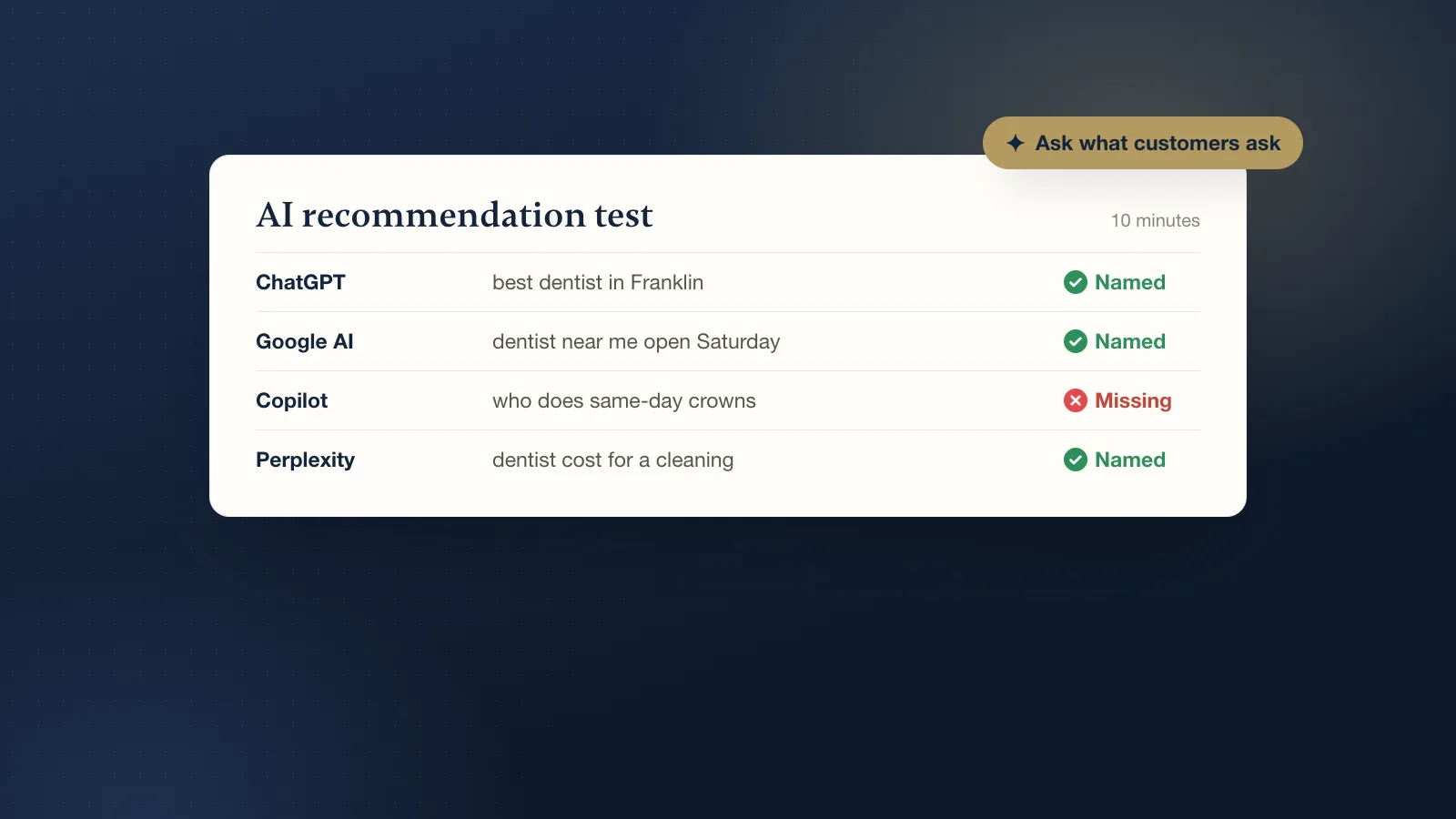
Open ChatGPT, Google, Microsoft Copilot and Perplexity, and ask each one the questions your customers would ask, in plain words, with your town in them. Write down whether your business is named, what each tool says about you, and which websites it lists as sources. That takes about 10 minutes and tells you more than most reports.
Why does this matter now?
People have started asking AI tools for recommendations the same way they ask a friend: "Who is a good dentist in Franklin?" or "Which roofer near me does free inspections?" The tool answers with a few names. If you are not one of them, that customer may never see your website or your Google listing at all.
The good news is that these tools do not make up their picks from nothing. They read websites, listings and reviews. So once you know what they say about you, you can usually trace it back to a source and fix it.
How do I run the test?
- Write down five customer questions. Use real words people say, not your marketing words. Mix it up: "best [service] in [town]", "[service] near me open Saturday", "who does [specific job] in [town]", "how much does [service] cost in [town]", and your business name on its own.
- Ask ChatGPT. Make sure it is searching the web (you will see links or sources in the answer). Ask each question in a new chat so earlier answers do not shape the next one.
- Ask Google. Search the same questions and look at the AI Overview at the top, if one appears, and the map results under it. Try Google's AI Mode too if you have it.
- Ask Copilot and Perplexity. Copilot leans on Bing, so it often shows a different picture from Google. Perplexity lists its sources clearly, which makes it easy to see where an answer came from.
- Write it all down. A simple table works: question, tool, were you named (yes or no), what it said about you, and the sources it listed.
Ask from your phone as well as your computer, and do not log in to your business accounts while testing. Answers change from day to day, so treat one run as a snapshot, not a final score.
What do the results mean?
You are named, and the details are right
Good. Check that the phone number, hours, services and town are correct. Then look at the sources it listed. Those are the pages doing the work for you, so keep them up to date.
You are named, but something is wrong
This is common. Old hours, a former address, a service you stopped offering, or a phone number from years ago. The tool picked it up somewhere. Look at the sources, find the page or listing with the old detail, and fix it there. Updating the source is the only reliable way to change the answer.
You are not named at all
Usually this comes down to one of a few things:
- Thin or missing listings. No Google Business Profile, no Bing Places listing, or profiles that are half filled in.
- A website that does not say what you do and where. If your homepage says "Quality you can trust" but never says "plumber in Murfreesboro", the tools have little to go on.
- Few reviews. AI tools look for signs that real customers use you. A handful of old reviews is a weak signal next to a competitor with fresh ones every week.
- Blocked crawlers. Some websites block AI search crawlers by mistake. OpenAI says sites can appear in ChatGPT search as long as they do not block its search crawler, called OAI-SearchBot.
A competitor is named every time
Look at their sources. What pages and listings does the tool quote for them? You will often find a page for each service, clear prices or price ranges, a long list of reviews, and the same name, address and phone number everywhere. That is your to-do list.
What should I fix first?
- Your Google Business Profile. Complete every field, pick the right main category, add real photos and keep hours current. If it is stuck or not showing, read our guide to why a Google Business Profile does not show up.
- Bing Places and Apple Maps. Copilot uses Bing, and many phones use Apple Maps. Both are free to claim.
- Your website's first screen. Say what you do, where you do it and how to reach you, in real text, not inside an image.
- A page per main service. One clear page each, with the questions customers actually ask answered on it.
- Reviews every week. Send a direct review link after each job and reply to every review.
Then run the same test again in a month. Use the same questions so you can compare. Our longer guide to getting recommended by ChatGPT and AI search goes deeper on each step.
Can anyone guarantee ChatGPT will recommend me?
No. ChatGPT, Google and the others decide what to show, and their answers shift often. Anyone who promises a spot in an AI answer is guessing. What you can control is how clear, consistent and trusted your business looks across the places those tools read.
Not sure where you stand? Our free listing check looks at your Google, Bing and Apple listings and how AI tools describe you, with no call needed. If you want it all set up properly, our Get found setup is $399 once. See SEO and AI search.