In this guide6 questions answered
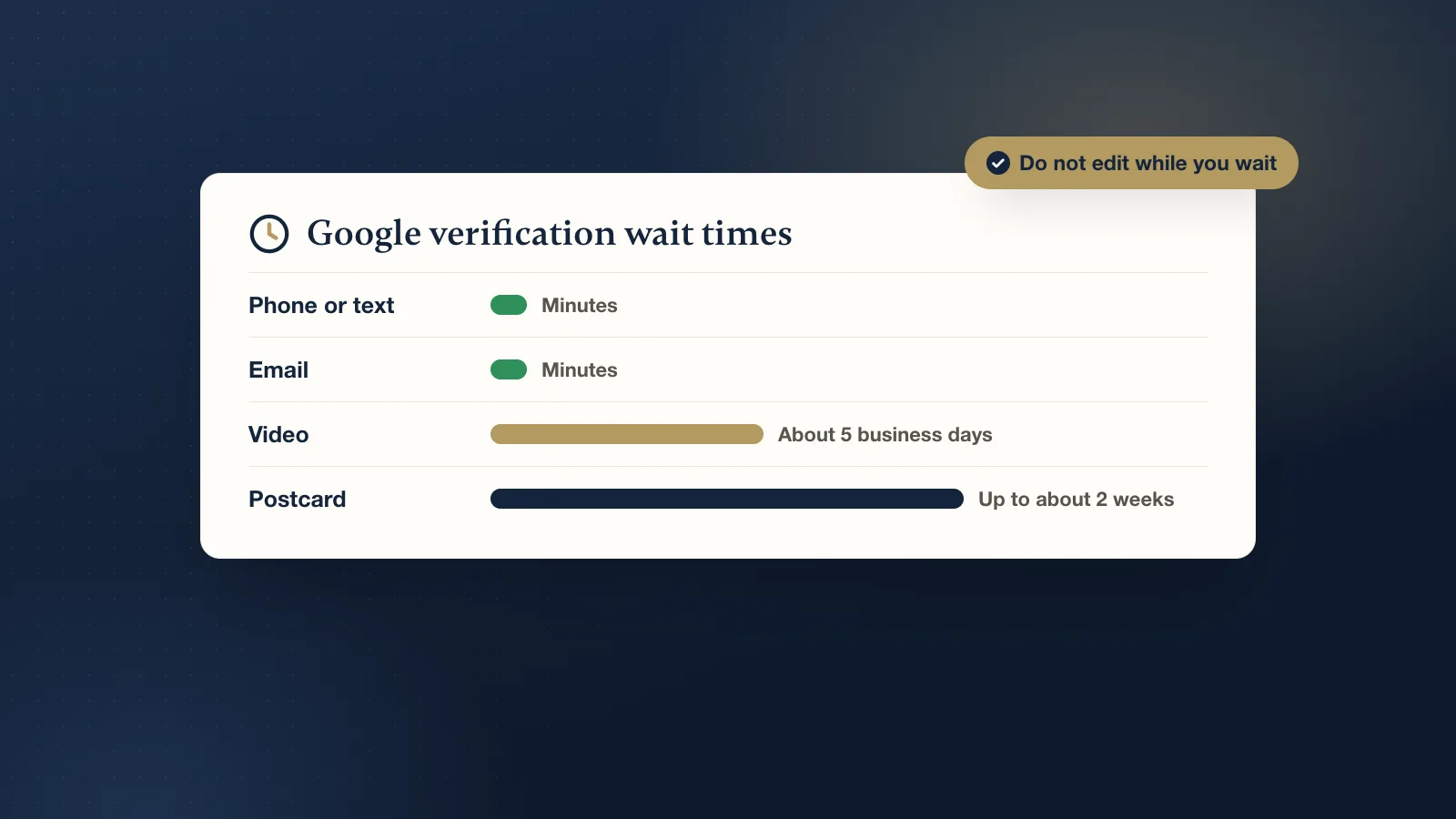
It depends on the method Google offers you. Phone, text and email codes usually work within minutes. Video verification is usually reviewed within about five business days. A postcard usually arrives within about two weeks. After you verify, it can take a little longer for your profile to appear fully in search and on Maps.
Why do I not get to choose the method?
Google picks which methods to offer based on your type of business, your category, your location and your profile's history. A new home-based service business will often only see video. An established shop might get a phone or email option. You cannot request a different method, and the options can change if you edit the profile.
How long does each method take?
Phone, text or email
Usually minutes. Google sends a code, you enter it, and you are done. If the code does not arrive, check that the phone number or email on the profile is one you can actually reach. These quick options are offered less often to new businesses than they used to be.
Video verification
Recording takes a few minutes. Google's review usually takes about five business days, sometimes less, sometimes more when there is a backlog. You record one continuous video showing:
- Your location: the street sign or building number, and your signage if you have it.
- Your business: tools, equipment, a branded vehicle, stock or your workspace.
- Proof you manage it: unlocking the door, opening the register, or showing paperwork with the business name.
Keep it short and steady, with no cuts, and make sure the business name is visible somewhere. A shaky video with nothing that ties the place to your business is the most common reason for a rejection.
Postcard
Postcards usually arrive within about two weeks, though it varies by area and the post office. The card has a code you enter on your profile. Do not request a new postcard while you wait, because a new request can cancel the code already in the mail. And do not change your business name, address or category while waiting, as that can make the code stop working.
Live video call
Some businesses are offered a live call with a Google support person instead. It is usually scheduled for a set time, and the check happens during the call, so the wait is mostly about getting an appointment.
Why is my verification taking longer than this?
- Your profile is under review. After you submit, Google may check the profile further, especially for categories with a history of spam, like locksmiths, movers, garage door repair or lawyers.
- You edited the profile mid-review. Changing the name, address, phone or category can restart the process.
- The video did not show enough. If it is rejected, you may be asked to record a new one.
- Busy periods. Reviews can slow down at times, and Google does not post live wait times.
I verified, but my business still does not show up. Why?
Verification is the first step, not the last. Even once you are verified, a new profile can take some time to show up fully, and it may only appear for searches very close to you at first. Our guide to why a Google Business Profile does not show up walks through the checks.
When should I stop waiting and do something?
- Video review over two weeks: check the profile for a message or a request for more information. If there is nothing, contact Google Business Profile support from the help center.
- No postcard after about two weeks: check the mailing address on the profile. If it is right, request a new code once, and then wait for that one.
- "No more ways to verify" or no options at all: this is a different problem. Read our guide to fixing "No more ways to verify".
- Suspended: if the profile shows as suspended, waiting will not fix it. See what to do when your profile is suspended.
How can I make verification go faster?
- Get every detail right before you submit: real business name, correct address or service area, the right main category, a working phone number and your website.
- Prepare the video before you start recording: plan the route from the street sign to your workspace, and have proof of management ready.
- Do not touch the profile while it is being reviewed.
- Make sure your website shows the same name, address and phone number as the profile.
Stuck or not sure what is wrong? Our free listing check looks at your profile with no call needed. If you want it handled for you, our Get found setup is $399 once and includes setting up and verifying your Google Business Profile, plus Apple and Bing Maps. If the profile is stuck or suspended, our Google Profile Rescue is $399 once. Google makes the final decision, so we promise every step, not the outcome.